Hacking a £30 photo frame into a family dashboard
Turning a cheap Android photo frame into a dashboard built around our household, and how easy personal software has got.
How's it going? This one's a side project I've been wanting to write up, partly because it's fun and partly because of what it says about building software right now. A few years ago, hacking a photo frame and writing a custom dashboard for one household would probably have been a month of evenings I'd never have found. With AI tools, it was about 10 hours.
A while back I listened to a podcast where someone talked about a cheap digital photo frame they had lying around. They opened it up, realised it was basically an old Android tablet in a frame, and decided to hack it, switching off all the manufacturer's software and running their own dashboard on it instead. Wes Bos has since open-sourced the whole process, so I decided to give it a go.
What's inside
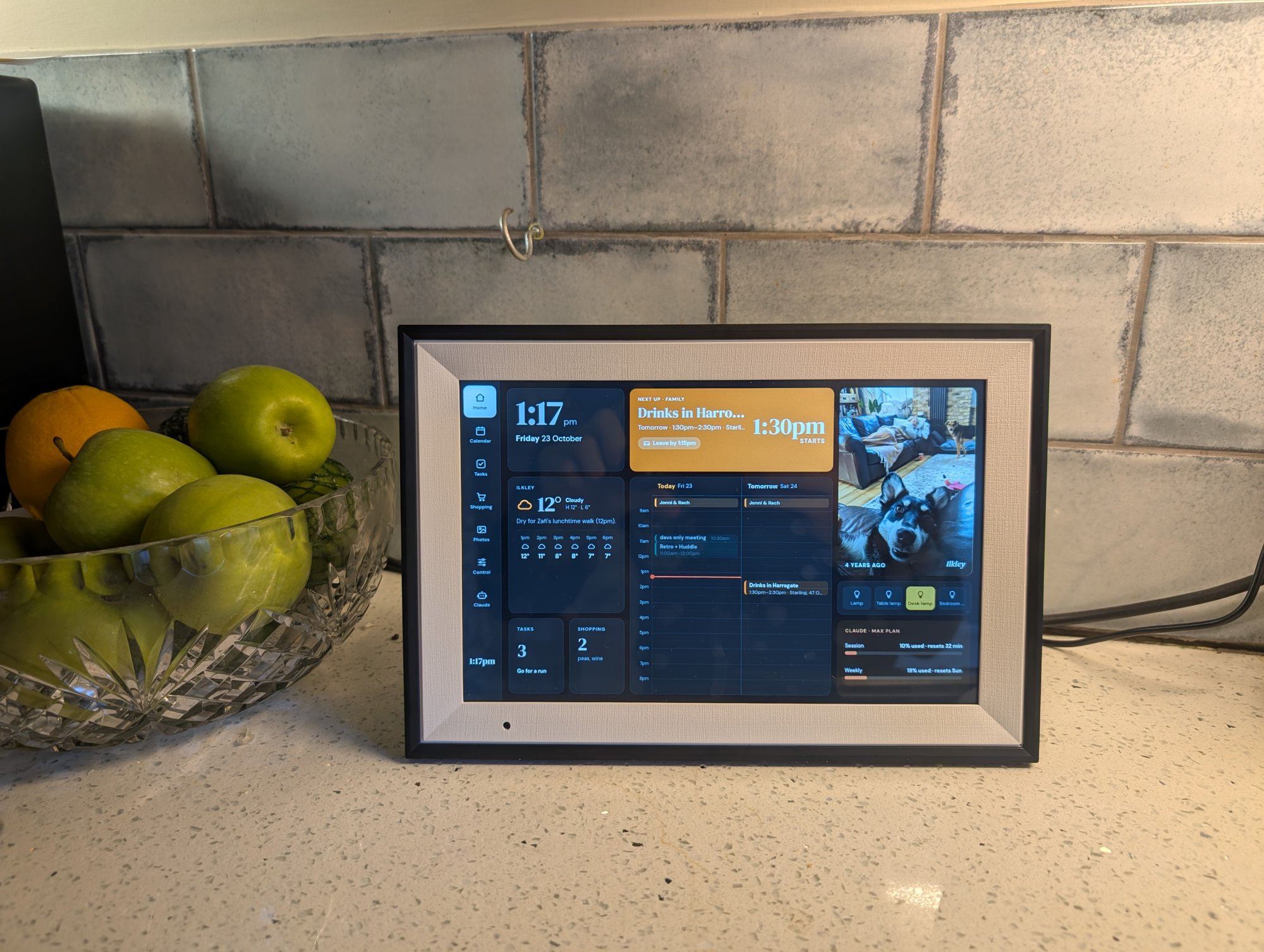
I picked up a 10.1" Humblestead frame from Amazon for about £30 or thereabouts. Under the slideshow it's running Android 6 from 2016 on a little Allwinner chip, with a web engine from 2015. It also ships with an over-the-air updater, a factory test app and the vendor's photo app, which keeps a remote-command channel open back to the manufacturer's servers. Not something I wanted on my kitchen wall.
Mine came with a debug build of Android that already gave full root access over USB, so I could skip the trickier unlock routes other people have needed. After a full (and fairly paranoid) backup (the manufacturer doesn't publish the firmware anywhere, so this is the only copy), I swapped the home screen, switched off the vendor apps, upgraded the web engine to a 2022 version and installed a small full-screen app that opens my dashboard on boot. Nothing on the frame calls home any more. It just shows a web page from inside the house.
Three parts
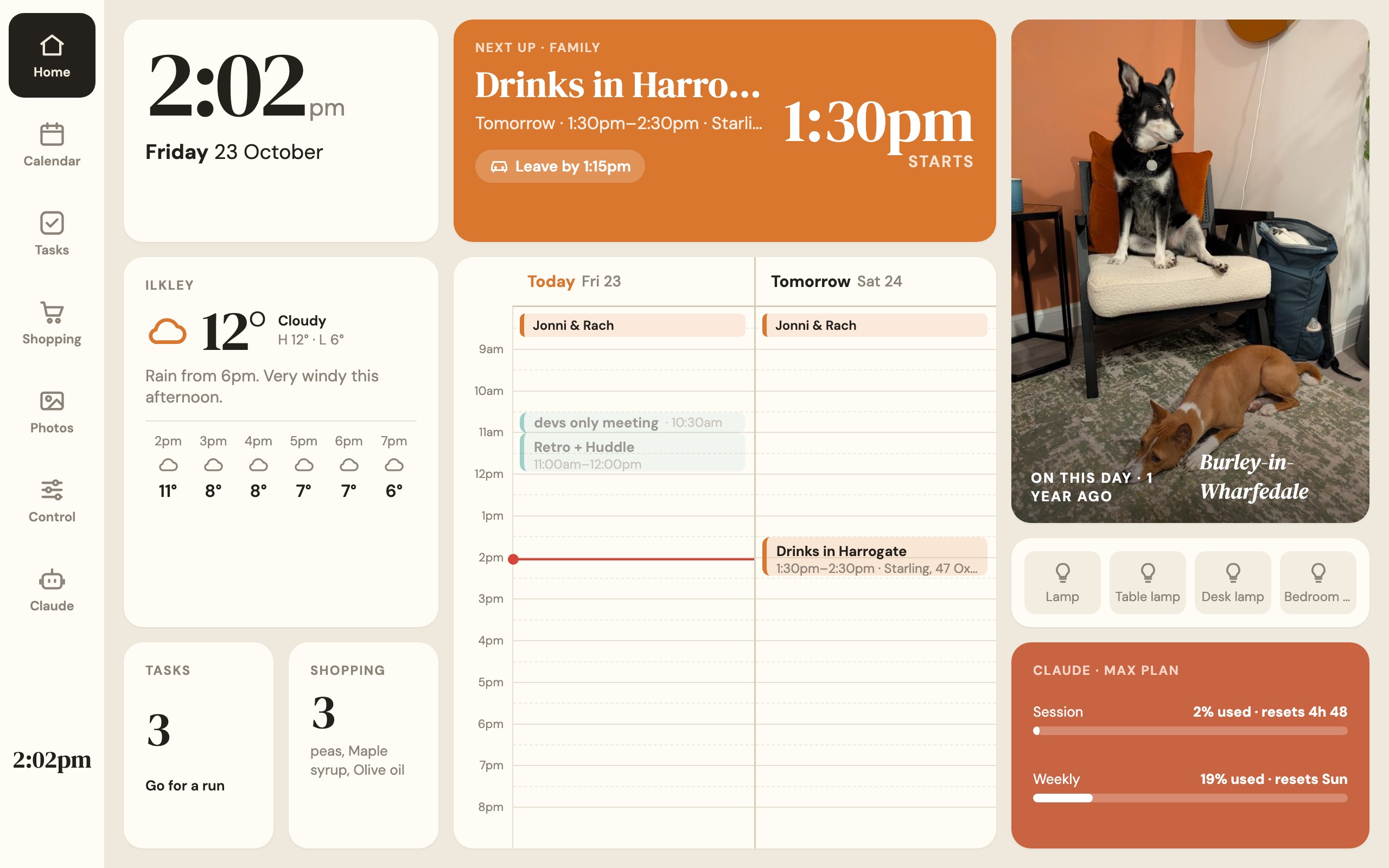
- The dashboard is a plain JavaScript web app built for the frame's 1280×800 screen, with a home screen plus calendar, tasks, shopping, photos, smart-home controls and a Claude screen. It's light by day and dark by night, and it dims at 10pm and switches off at 11.
- The server is a small Python app (I called it homehub) running on a Raspberry Pi 3 Model A+. It does all the talking to Google, the weather and our devices, and hands the dashboard one bundle of data every few seconds. All the logins and keys live here rather than on the frame.
- And the frame itself, with the unlock, backup and clean-up above.
Making it ours
I had a lot of fun deciding exactly what each screen should show, based on what we actually check during the day:
- The weather is tied to our routines. Instead of a generic forecast, it knows when the dog walks and nursery runs happen and flags rain, wind or cold for those exact times.
- Calendars for me, the family, work and UK bank holidays, all on one timeline.
- Our shared Google Keep shopping list, synced both ways, so ticking something off on the frame takes it off our phones too.
- A photo slideshow from a shared Google Drive folder, read by the server through its own Google Cloud service account, with each photo captioned with where it was taken.
- Our Tapo smart plugs, controlled directly over Wi-Fi without going through TP-Link's cloud, plus play, pause and volume for the kitchen speaker.
- My Claude Code sessions and plan usage. I can also ask Claude to "add a task for tomorrow to pick up the Vinted parcel" and it appears on the frame.
Software for one household
I can't imagine anyone ever selling this product. It's built around our dog's walk times, our nursery runs, our shopping list and our lamps, and it only has to work for one household. That kind of software used to be out of reach. It was never worth the time, so you'd make do with whatever a generic app or gadget offered, but that's changed a lot over the last couple of years.
Nearly all of this was built with Claude Code, and I spent most of my time deciding things (what goes on each screen, what should happen at 11pm, what's useful versus clutter) rather than typing. The parts that would probably have stopped me cold a few years ago took minutes, like reverse-engineering an Android frame, talking to smart plugs over their local protocol, getting into Google Keep without an official API and deploying it all to a Pi.
It feels like it's never been easier to build something that fits your own life exactly, rather than bending your routine around someone else's product.
You do still need to steer it, though. We mocked up layouts before writing any code, every piece was reviewed before moving on, and anything that touched the frame waited for my explicit OK. The reviews caught real bugs along the way, like a "tomorrow" task saving as 9am. But being the one making the decisions, rather than the one doing all the typing, turned something I'd probably never have started into a weekend-sized project.
All in it came to about £70 and roughly 10 hours, and it's now living upstairs showing us the day at a glance. The code's on GitHub if you fancy building your own, and Wes's repo is the place to start for the frame itself.
Cheers!